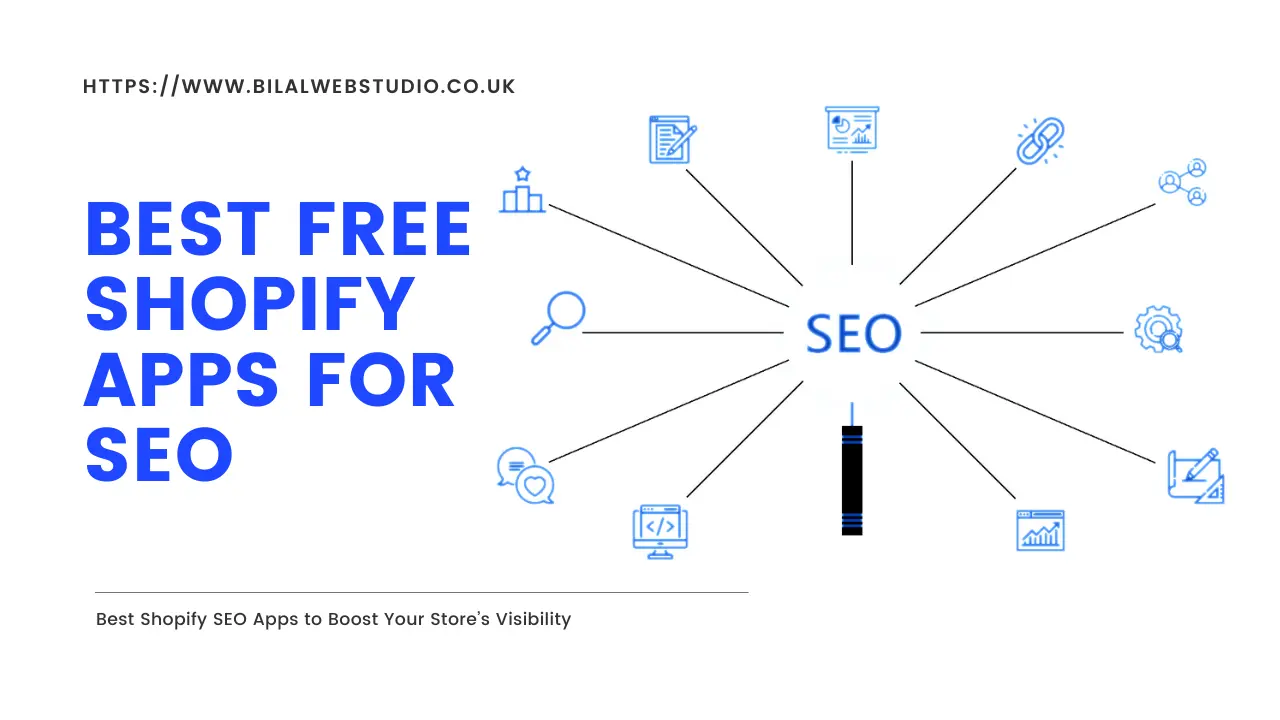
Running a successful Shopify store in 2025 means more than just having great products. Your store needs to be visible to potential customers searching on Google and other search engines. That’s where SEO apps come in. The good news? You don’t need a massive budget to optimize your store for search engines. Several powerful free SEO apps can help you improve your rankings and drive organic traffic.
In this guide, we’ll explore the best free SEO apps for Shopify stores, highlighting their key features, benefits, and what makes each one stand out.
Why You Need an SEO App for Shopify
While Shopify provides basic SEO functionality like customizable URLs and meta descriptions, it doesn’t offer the comprehensive tools needed to compete in today’s crowded e-commerce landscape. SEO apps fill this gap by automating time-consuming tasks, identifying issues you might miss, and helping you implement best practices without requiring technical expertise.
The right SEO app can help you:
- Automatically optimize images and alt text
- Fix broken links that hurt your rankings
- Generate SEO-friendly meta descriptions and titles
- Improve page loading speed
- Monitor your SEO performance
- Add structured data for better search engine understanding
Top Free SEO Apps for Shopify in 2025
1. TinyIMG SEO & Image Optimizer
TinyIMG stands out for its generous free plan and comprehensive feature array, making it one of the most popular choices for Shopify merchants.
Key Features:
- Bulk metadata and alt text editing to save hours of manual work
- Impressive image compression (up to 94% for PNG files and 54% for JPG files)
- Site audits to identify SEO issues
- JSON-LD structured data setup without coding
- One-click lazy loading and asset preloading
- Sitemap management
Best For: Store owners who rely heavily on images, such as those in art, furniture, jewelry, and print-on-demand niches. It’s also ideal if you want powerful automation without technical expertise.
Pricing: Free plan available; paid plans start at $14.99/month
2. Booster SEO & Image Optimizer
Booster SEO continuously monitors your site for SEO issues with the help of AI, making it an excellent set-it-and-forget-it solution for busy store owners.
Key Features:
- AutoPilot section for one-click SEO automation
- Automated image alt text, meta titles, and meta descriptions
- Broken link detection and fixing
- SEO audits to locate potential issues
- URL optimization with relevant keywords
- Beginner-friendly dashboard
Best For: Beginners who want simple automation and don’t have time for manual SEO tasks. The intuitive interface makes it easy to get started quickly.
Pricing: Free plan available (limited); paid plans start at $39/month with a 7-day trial
3. SearchPie SEO & Speed Optimize
SearchPie caters exceptionally well to beginner users with no complicated technical SEO terms and an intuitive interface that guides you through optimization.
Key Features:
Real-time SEO scanner with instant feedback
Keyword suggestions and research tools
Backlink analysis for external SEO
Bulk alt text editing
Image compression and lazy loading
AMP (Accelerated Mobile Pages) support
Google Search Console integration
24/7 live chat support
Best For: Complete beginners who want a simple yet comprehensive solution. The live chat support team is particularly patient with newcomers to SEO.
Pricing: Free plan available; paid plans start at $19.99/month
4. Tapita SEO & Speed Optimizer
Tapita offers a feature-loaded solution with a generous free plan that includes tools many other apps reserve for premium tiers.
Key Features:
- Keyword generator for research
- Structured data configuration
- Broken link fixing
- Automated alt text optimization with templates
- Speed booster functionality
- Google Search Console integration
- Sitemap and page indexing management
- Premium services like content audit and backlink building
Best For: Budget-conscious store owners and startups who want an affordable all-in-one tool. Small businesses that need automation without technical knowledge will particularly benefit.
Pricing: Free plan available; Basic plan starts at $19.99/month
5. SEO Suite by AVADA
AVADA surprised many with its generosity, offering features that other apps charge premium prices for, earning it over 8,000 positive reviews.
Key Features:
- AI-powered meta tag generation
- Bulk editing capabilities for large catalogs
- Image optimization and compression
- Google structured data support
- 24/7 live chat support
- SEO audit and reporting tools
Best For: New stores or anyone testing SEO apps on a budget. Many stores find success with just the free version initially.
Pricing: Free plan available; paid plans start at $24.95/month
6. Plug In SEO
Plug In SEO has been around since 2011, making it one of the most mature SEO solutions available with a proven track record and educational approach.
Key Features:
- Step-by-step audit approach that explains issues
- JSON-LD structured data tools
- SEO templating for catalog consistency
- 404 broken link redirects
- Educational resources to learn SEO
- Detailed help center and guides
Best For: Store owners who want to learn SEO while optimizing. If you’re new to SEO and want to understand the “why” behind recommendations, this is an excellent choice.
Pricing: 14-day free trial; paid plans from $29.99/month (Note: No ongoing free plan)
7. Smart SEO
Smart SEO saves precious time by automatically creating meta tags and ALT tags, making on-page optimization nearly effortless.
Key Features:
- AI-powered meta tag generation using ChatGPT
- Automated alt text creation
- Quick setup and installation
- Time-saving bulk operations
Best For: Store owners who want AI-powered automation and have limited time for manual optimization tasks.
Pricing: Free tier with 50 monthly optimizations; paid plans start at $14.99/month
How to Choose the Right SEO App for Your Store
With so many options available, selecting the right app depends on several factors:
1. Your Technical Expertise: If you’re a beginner, prioritize apps like SearchPie or Booster SEO that offer intuitive interfaces and explain SEO concepts clearly. More experienced users might appreciate the advanced features in TinyIMG or Tapita.
2. Your Store Size: Large catalogs benefit from apps with robust bulk editing capabilities. TinyIMG and AVADA excel in this area, allowing you to optimize hundreds or thousands of products quickly.
3. Your Primary Needs: If image optimization is crucial (for visual product niches), TinyIMG is hard to beat. If you need speed optimization above all else, focus on apps like Tapita that prioritize page loading times.
4. Your Budget: While all these apps offer free plans, consider what features are available in the free tier versus paid. Some apps like AVADA offer generous free plans, while others like Booster SEO have more limited free versions.
5. Automation Level: Consider how hands-off you want to be. Apps with one-click automation features save time but may give you less control, while apps with more manual options let you fine-tune everything.
Essential SEO Features to Look For
Regardless of which app you choose, make sure it includes these critical features:
- Image Optimization: Fast-loading images improve both user experience and SEO rankings. Look for apps that compress images without sacrificing quality and automatically add alt text.
- Meta Tag Management: The ability to bulk edit meta titles and descriptions saves countless hours and ensures consistency across your store.
- Structured Data (JSON-LD): This helps search engines understand your content better, potentially earning you rich snippets in search results that improve click-through rates.
- Broken Link Detection: Broken links hurt user experience and SEO. Apps that automatically find and fix these issues are invaluable.
- Speed Optimization: Page loading speed is a confirmed ranking factor. Features like lazy loading, asset preloading, and image compression all contribute to faster load times.
- SEO Audits: Regular audits help you identify issues before they become problems. Look for apps that provide actionable recommendations, not just lists of errors.
Tips for Maximizing Your Free SEO App
Even with the best free app, you’ll get better results by following these best practices:
- Start with the Basics: Don’t try to implement every feature at once. Begin with the fundamentals like optimizing meta descriptions, fixing broken links, and compressing images.
- Monitor Your Progress: Use Google Search Console and Analytics alongside your SEO app to track improvements in rankings, traffic, and conversions.
- Be Patient: SEO is a long-term strategy. Don’t expect overnight results. Most stores see meaningful improvements within three to six months of consistent optimization.
- Consider Upgrading: While free plans are excellent starting points, upgrading to paid tiers often unlocks automation features that save significant time as your store grows.
- Complement with Manual Efforts: No app can replace quality content and a good user experience. Use apps to handle technical SEO while you focus on creating valuable content and improving your store’s overall quality.
- Stay Updated: Search engine algorithms change regularly. Choose apps that update their features to reflect the latest Google guidelines and best practices.
Common SEO Mistakes to Avoid
Even with powerful apps, store owners sometimes make these mistakes:
- Over-Optimization: Stuffing keywords into meta descriptions or alt text can actually hurt your rankings. Keep content natural and user-focused.
- Neglecting Mobile: Most shoppers browse on mobile devices. Ensure your chosen app includes mobile optimization features.
- Ignoring Speed: A beautiful store that loads slowly will lose both customers and rankings. Prioritize speed optimization from day one.
- Duplicate Content: Multiple apps handling the same task can create conflicts. Stick to one primary SEO app to avoid issues like duplicate JSON-LD structured data.
- Forgetting Alt Text: Many store owners overlook image alt text, but it’s crucial for both accessibility and SEO. Use apps that automate this process.
The Bottom Line
You don’t need a big budget to improve your Shopify store’s SEO in 2025. The free apps we’ve covered offer powerful features that can significantly boost your search engine visibility and drive organic traffic.
For most store owners, we recommend starting with either TinyIMG or SearchPie. TinyIMG offers the most comprehensive free features with excellent image optimization, while SearchPie provides the best beginner-friendly experience with strong support.
If you’re on a tight budget but need robust features immediately, AVADA’s generous free plan is hard to beat. And if you’re willing to invest a bit after a trial period, Plug In SEO offers exceptional educational value that will serve you well long-term.
Remember, the best SEO app is the one you’ll actually use consistently. Choose an app that matches your comfort level and needs, then commit to regular optimization. With patience and the right tools, you can compete with much larger stores in search rankings.
Start with one app, master its features, and watch your organic traffic grow. Your future customers are searching for products like yours right now. Make sure they can find you.