
Crawled, Currently Not Indexed: What the New Google Guidance Means for Builders
Google says crawled, currently not indexed is common and not always a problem. See how builders should check which pages matter.
 Bilal
Updated
5 min read
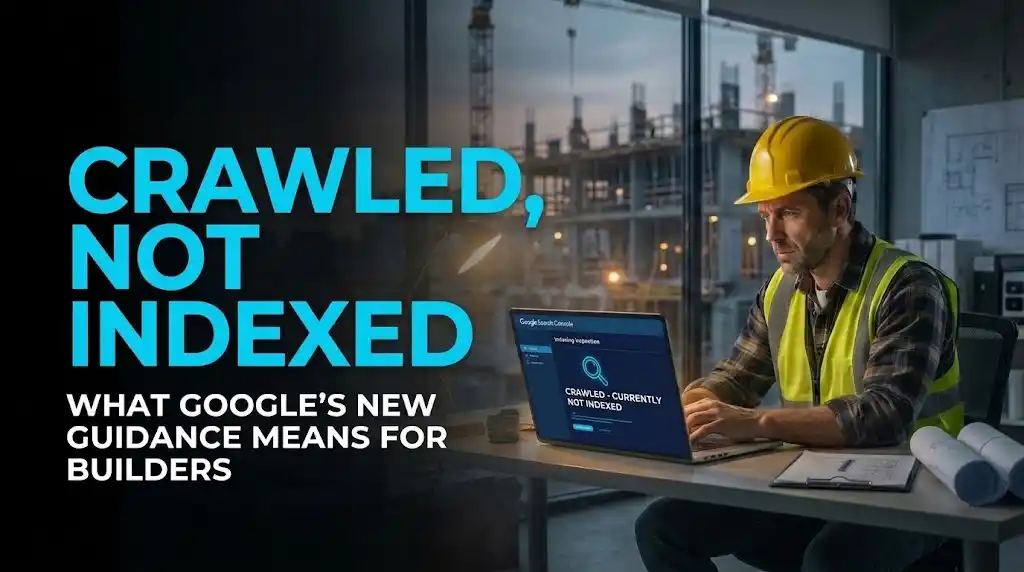
On 3 November 2026, Google updated its help page for the Search Console status ‘Crawled – currently not indexed’. Search Engine Roundtable reported the change. The new wording is calmer than many site owners expect.
So this guide explains what changed and what builders should check. It also covers a related comment from John Mueller about sites that show only the home page in Google. First, a note. We summarise press reports here, so read Google’s own page too.
Want help with this? Book a free 20-minute strategy call, or get a free audit of your website.
What Google Changed
- Google says it does not index all pages across the web.
- The status, it says, is a common message for many sites.
- That status does not necessarily show an issue that needs attention.
- For diagnosis, Google points to the URL Inspection tool.
- A report an indexing issue form exists, but only for a complete, site-wide problem that you have fully diagnosed.
The older wording said Google may or may not index the page later. It also said you need not resubmit it. Search Engine Roundtable notes that the new text does not mention quality. However, Google has linked this status to quality before.
Crawled and Discovered: Two Different Statuses
- Crawled – currently not indexed. Google fetched the page, then left it out of the index for now.
- Discovered – currently not indexed. Google found the URL, but has not crawled it yet.
Both statuses live in Search Console, so check both. Go to Indexing, then Pages, and open the ‘Why pages aren’t indexed’ list. However, neither one is a penalty. Manual actions appear in a separate report.
Why Google Might Leave a Page Out
- Thin or repeated content. A page that adds nothing new gives Google little reason to keep it.
- Few internal links. A page reached only from a footer can look unimportant, according to Practical Ecommerce.
- New pages. Google does not always judge new pages at once, so timing can explain it.
- Technical flags. A stray noindex tag or a wrong canonical can keep a page out.
- Sheer volume. Google says there is a lot of good and questionable content on the web.
John Mueller once wrote that Google may skip a page even when it is high quality. So a status alone proves very little.
Which Pages Matter for a Builder
Not every page needs to be in Google. Focus on the pages that win work.
- Matter most: service pages, location pages, case studies and your contact page.
- Matter less: thank-you pages, tag archives and search result pages.
- Often fine to leave out: policy pages and old test pages.
So ask one question for each page. Should it be a search destination? If yes, give Google a reason to index it.
A Six-Step Check
- Open Search Console, then Indexing, then Pages.
- Then open the ‘Crawled – currently not indexed’ list.
- Check which URLs on it matter to your business.
- Next, inspect each important URL with the URL Inspection tool.
- Also confirm the page has no noindex tag and a correct canonical.
- Improve the page, then wait before you judge the result.
Improving a page means adding unique detail. For example, a thin project page becomes a real case study. Our guide to a construction case study shows how.
Give Important Pages Internal Links
Internal links tell Google which pages matter. So link to your key pages from pages that are already indexed.
- Add contextual links from relevant blog posts and service pages.
- Use clear anchor text, such as ‘loft conversion services in Leeds’.
- Also include key pages in your main menu.
- List them in your XML sitemap.
We often find old pages with no links after a redesign. Our guide to spammy backlinks and 404 errors explains how to handle old URLs.
If Only Your Home Page Is Indexed
This case is more serious. On 3 November, Search Engine Roundtable reported a question on Bluesky. A site had only its home page indexed, and Google would not crawl internal links.
John Mueller said it was impossible to say without more detail. But he said it sounded like a general quality issue, possibly unrelated to a hack, unless the hack lasted many months. He also noted that timing makes this hard to spot, such as when a hack and a core update land together.
So check these in order:
- Look for a manual action in Search Console.
- Scan your site for hacked content or spam pages.
- Check for a site-wide noindex tag or a robots.txt block.
- Review the quality and originality of your main pages.
- Only then consider the report an indexing issue form.
Our guides to user-generated spam and WordPress security cover the hack side. Also see our post on the Google spam update for the quality side.
What Not to Do
- Avoid pressing Request Indexing again and again. Google says you need not resubmit.
- Never rewrite your whole site because of one status.
- Skip paid ‘indexing’ tools that promise guaranteed results.
- Do not ignore a sudden drop in indexed pages.
How We Can Help
We can review your indexing report, sort the pages that matter from those that do not and fix the causes. We can also improve thin pages and internal links. See our SEO for construction companies service.
Book a free strategy call or get a free website audit. You can also email [email protected].
Frequently Asked Questions
Does ‘Crawled – currently not indexed’ mean my site has a problem?
Not necessarily. Google says the status is common and does not necessarily show an issue that needs attention.
Should I request indexing again?
No. Google says you need not resubmit the URL. Improve the page and its internal links instead.
Is this status a Google penalty?
No. Penalties appear as manual actions in a separate Search Console report.
What if only my home page is indexed?
Check for manual actions, hacked content and technical blocks. John Mueller said it can point to a general quality issue.
Further Reading
- How to Write a Construction Case Study That Wins Work
- Google September 2026 Spam Update: What Builders Should Check
- Google’s User-Generated Spam Update: What Builders Should Check
- WordPress Security 2026 for Construction Websites
- Broken Page, Still in Google? Why Builders Should Not Rely on the Grace Period
- Google November 2026 Core Update: What Builders Should Do and Not Do
- Core Update Early Signs: Are Service Pages Losing to Blog Posts?


